
MolarionMolarion

Dental clinic management software, from the first booking to the last invoice

Doctors' appointments, patient files with dental charts and X-rays, treatment plans, lab cases and billing. One system in Arabic and English that works on computers and phones, and keeps working when the internet drops.

  • Free demo, online or at your clinic
  • Works without internet
  • Backed up every day
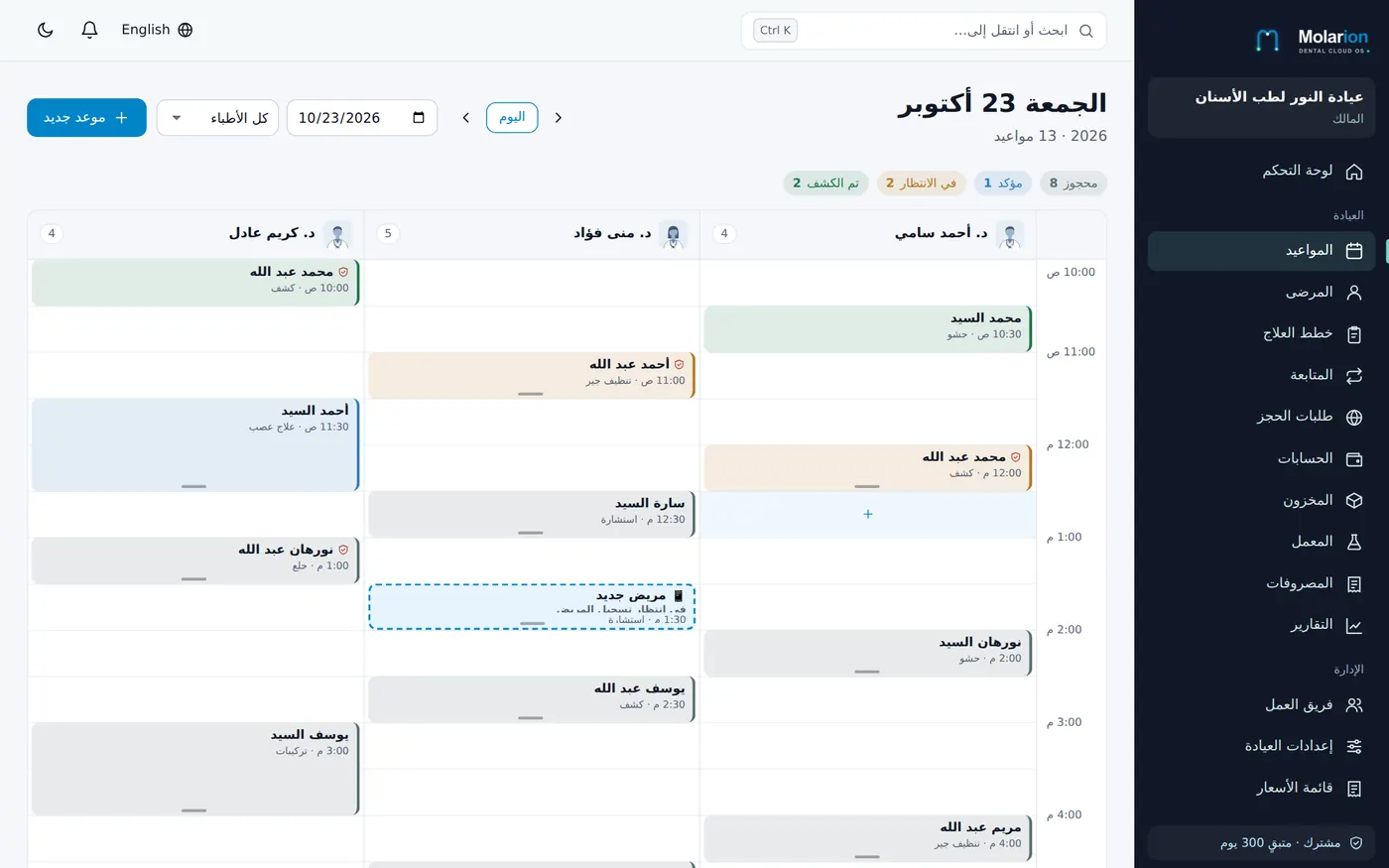
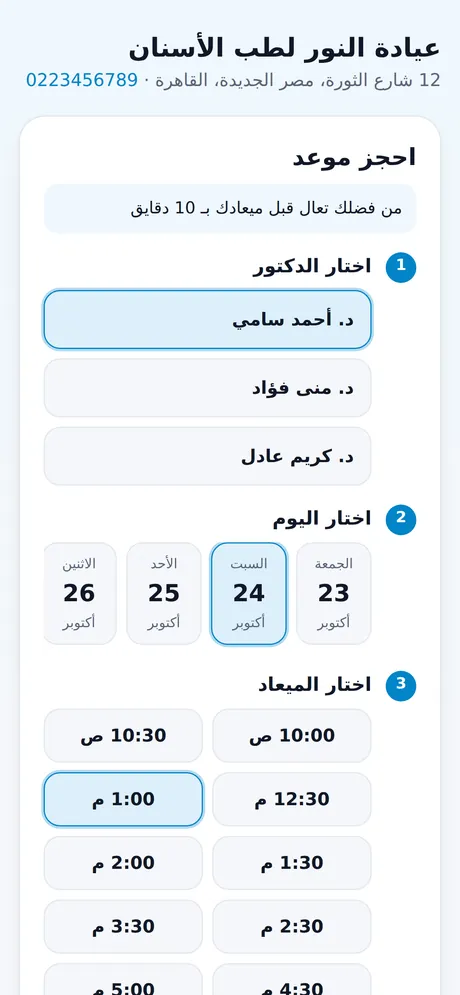
Molarion appointment calendar for a dental clinic with three doctors Online appointment booking page for a dental clinic on a phone

A full day at your clinic, the way it really happens

From the morning's bookings to closing the cash at night. Every screen below is Molarion itself, with a demo clinic's data.

  1. Patients book, and new patients fill in their own details

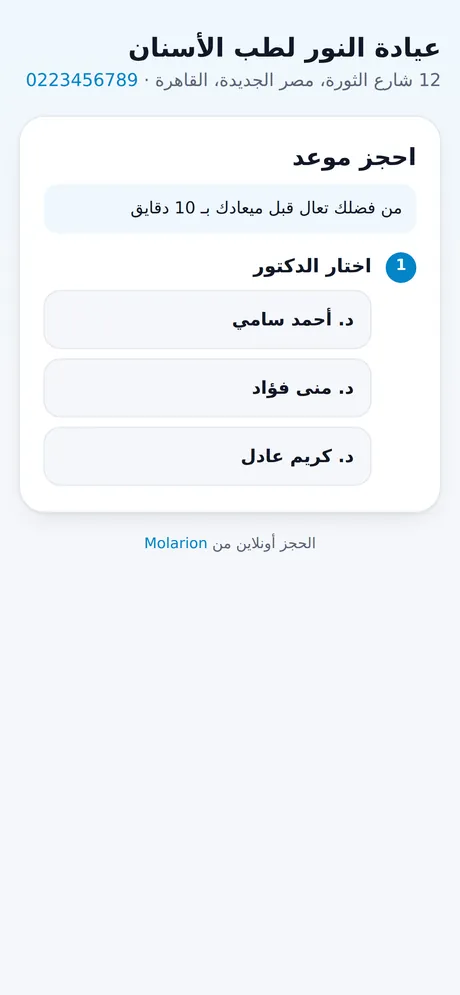
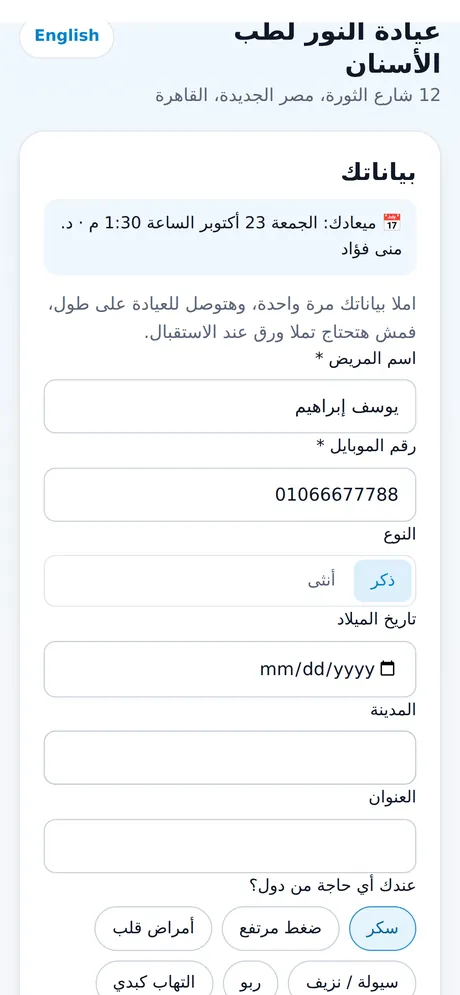
    A booking page in your clinic's name shows only the free times. A new patient scans a QR code and enters their details and medical history on their phone, instead of a paper form.

    • Online booking around the clock from your clinic's link
    • Approve or decline a request in one tap
    • New patients register by QR, no paper
    Choosing a doctor on a dental clinic's online booking page
    A new patient filling in their details on a phone after scanning a QR code
  2. The patient arrives, and their file is open for the doctor

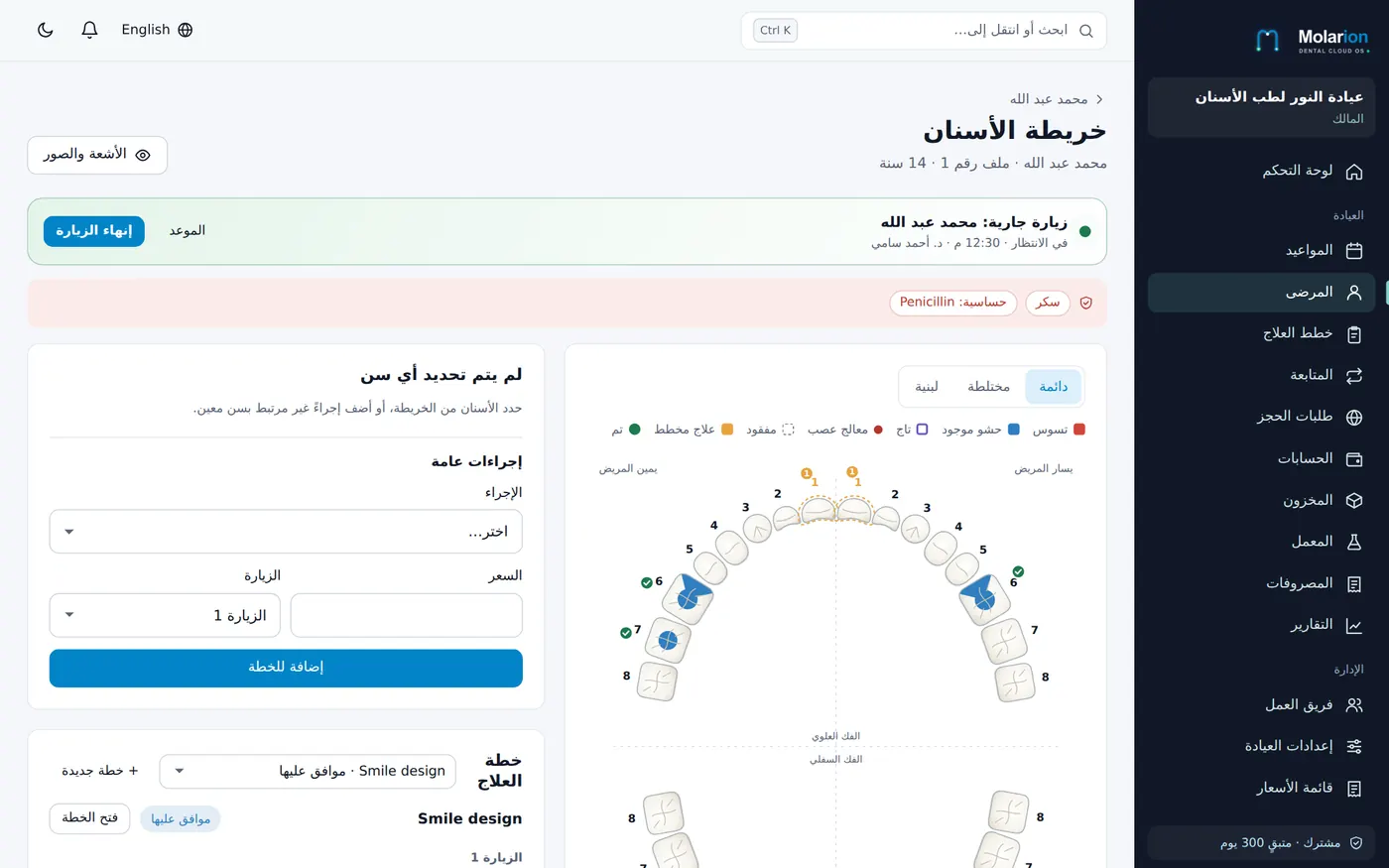
    Marking “Arrived” in the calendar opens the patient's dental chart straight away, with allergies and chronic conditions at the top. The visit stays open until the doctor finishes it.

    A patient's dental chart with the visit in progress
  3. A dental chart where every tooth has a history

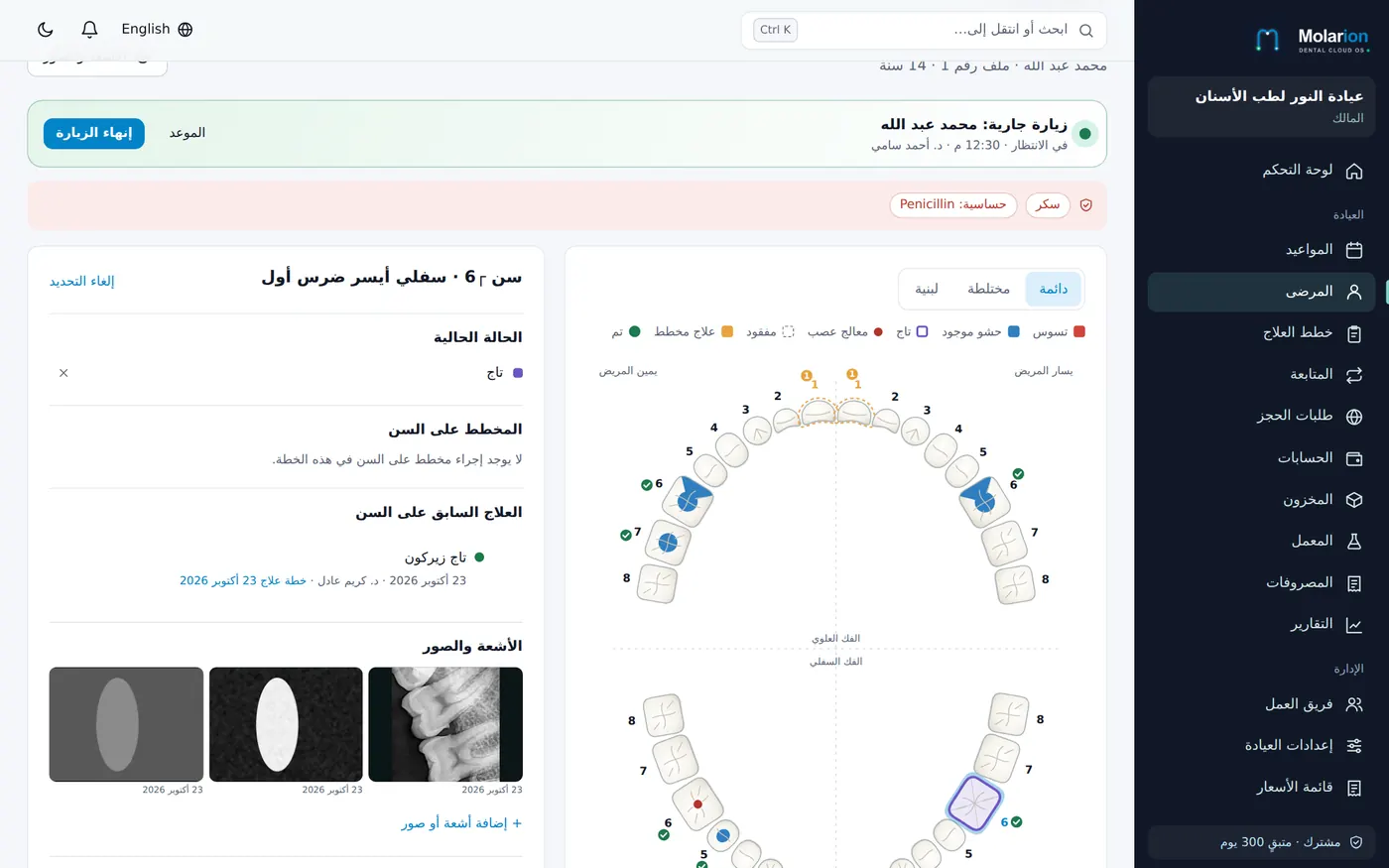
    Palmer numbering for permanent, primary and mixed dentition. Record caries, fillings, crowns and root canals, and see what was done on each tooth in earlier visits.

    • Permanent, mixed and children's charts
    • Each tooth's condition and planned work
    • Treatment history tooth by tooth
    A tooth's details and treatment history in the dental chart
  4. X-rays on the tooth itself, clearer in one tap

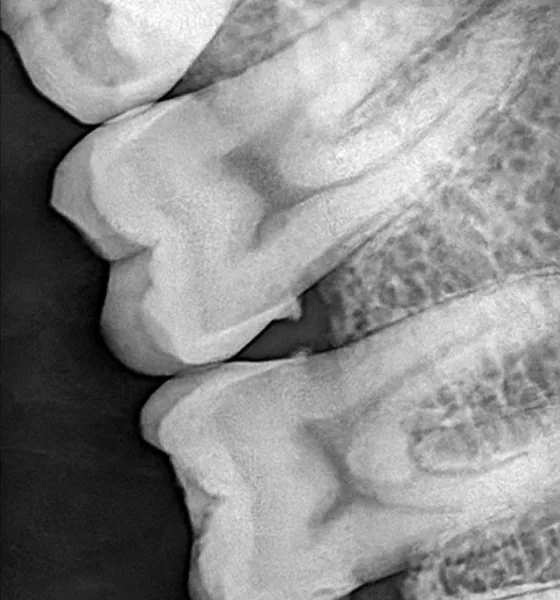
    Upload an X-ray to a specific tooth, zoom, adjust contrast and draw on it. The enhance button reduces noise and sharpens detail without changing the original.

    Dental X-ray before enhancement The same X-ray after Molarion's smart enhancement

    Drag the line to compare

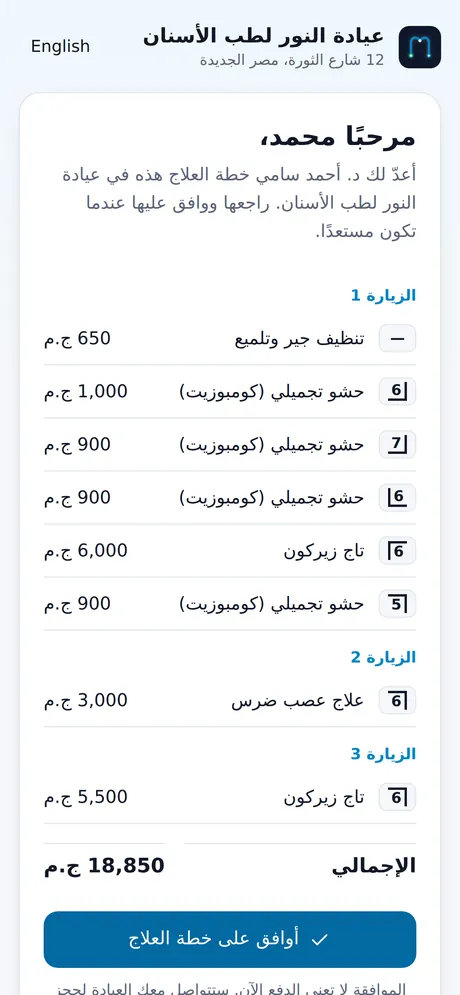
  5. A treatment plan the patient approves from home

    Send the plan with its prices and visits on WhatsApp. The patient reviews it with their family and approves on their phone, and you see the approval right away.

    A treatment plan the patient reviews and approves on their phone
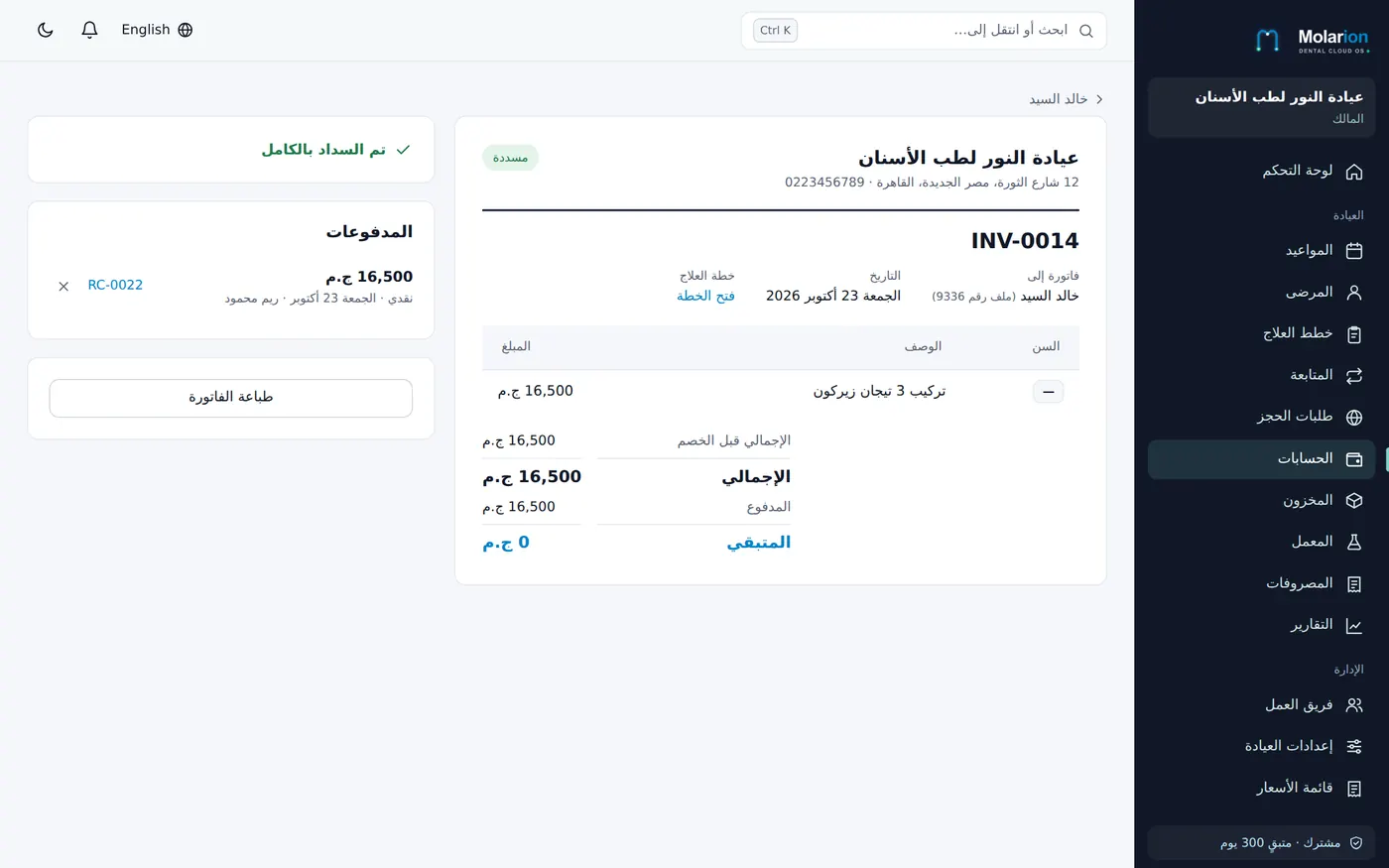
  6. Invoices, deposits deducted automatically, and instalments

    Link the invoice to the plan, split it into instalments, and let the system deduct the patient's deposit or credit from any new invoice.

    A dental treatment invoice with instalments
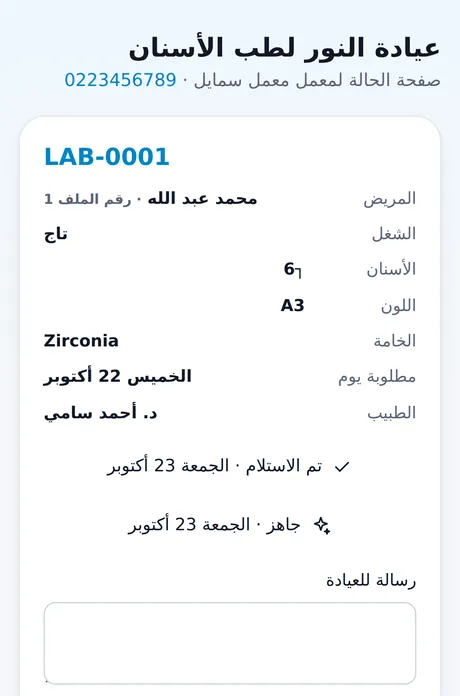
  7. The lab updates the case itself

    The lab gets a private link to the case, no account needed. They mark it received and ready, and you see the status with an alert at every update.

    The lab's page for updating a case
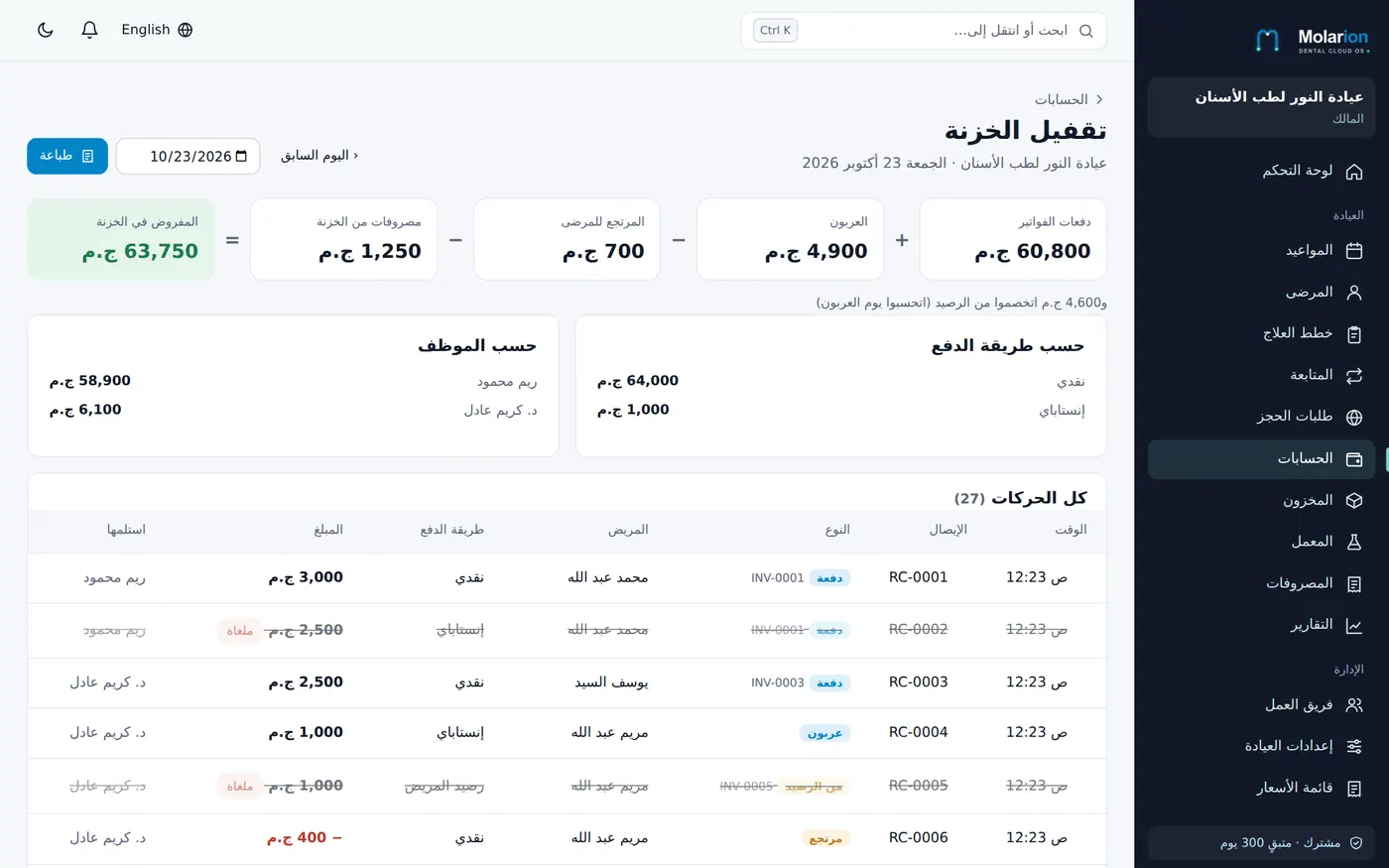
  8. End of day: the cash and the real profit

    Close the cash by payment method and by who received it, with a report of net profit after lab costs, materials, doctors' shares and expenses.

    End-of-day cash close at the clinic

Everyone at the clinic finds what they need

Separate permissions for doctors, the front desk and the clinic owner, so each person sees their own work.

For doctors

  • A complete dental chartPermanent, mixed and children's, with each tooth's condition and history.
  • X-rays per toothWith contrast, drawing and enhancement tools.
  • Prescriptions in secondsWith an allergy warning, printed or sent on WhatsApp.
  • Only their own appointmentsAnd a phone alert for every new booking.
  • Their share, calculatedAfter lab and material costs, as agreed.

For the front desk

  • A calendar per doctorDrag an appointment to change its time or length.
  • Book before the detailsThe patient registers themselves by QR.
  • WhatsApp remindersA ready message with the time and the doctor's name.
  • Online booking requestsApprove or decline in one tap.
  • Patient follow-upTreatment not yet booked, and overdue check-ups.

For the clinic owner

  • Real net profitAfter every cost and expense.
  • InventoryAlerts before materials run out or expire.
  • ExpensesRent, salaries and utilities in one place.
  • Doctors' reportsProduction and collections per doctor.
  • Team and permissionsAdd doctors and front desk with set roles.

On computers and phones, even without internet

Molarion runs in the browser and installs as an app on phones and computers, without an app store.

An app on any device
Android, iPhone, Windows and Mac, from the same account.
Without internet
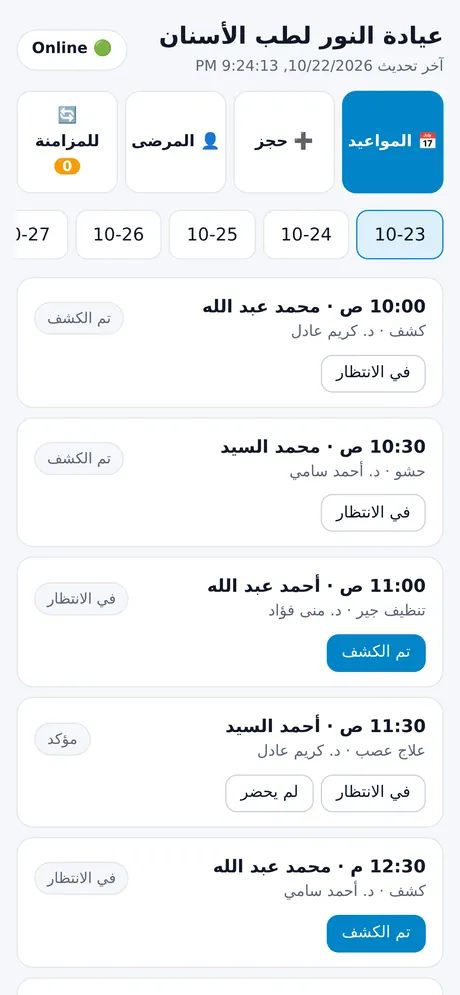
Keep working on appointments and patients; everything syncs when the connection is back.
Automatic updates
Every improvement reaches you with nothing to download or install.
Daily backup
The clinic's data is backed up automatically every day.
Permissions by role
Each user sees only what concerns them.
Fully in Arabic
An Arabic interface, with English one tap away.
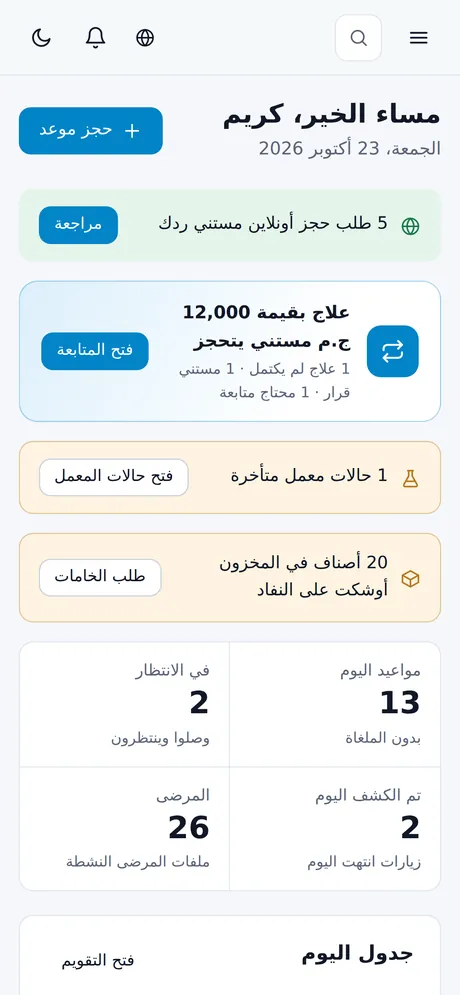
Molarion dashboard on a phone Working in Molarion without internet on a phone

Clear prices for every size of clinic

Choose the plan that fits the number of doctors at your clinic. You start with a free demo where we set up your clinic with you.

Basic

For a doctor running their own clinic

416EGP / month

  • 1 doctor + 1 staff member
  • Appointments, patient files and a real dental chart (Palmer)
  • Treatment plans patients approve on WhatsApp
  • Invoices, installments, down payments and patient credit
  • Prescriptions sent on WhatsApp, and the daily cash close
  • Follow-up of unbooked treatment and Google review requests
  • 1 GB for X-rays and photos
Book a demo

Centers

For large centers and multi-chair clinics

1,666EGP / month

  • Unlimited doctors and staff
  • Everything in Professional
  • We move your patients and stock from Excel for free
  • A setup call with your team
  • Priority support
  • 5 GB for X-rays and photos
Book a demo

Prices in Egyptian pounds. Questions about the plans? Message us

Questions doctors ask before starting

What is Molarion?

Molarion is dental clinic management software that brings appointments, patient files, dental charts, X-rays, treatment plans, lab cases and billing together in one system, in Arabic and English.

Does it work on phones?

Yes. It works in phone and computer browsers and installs as an app on Android, iPhone and Windows without an app store.

Does it work without internet?

Yes. When the internet drops you can still see the week's appointments, mark patients as arrived and book new appointments; everything syncs automatically when you're back online. Invoices and payments are recorded when connected.

How do I get started?

Book a free demo online or a visit to your clinic. We show you the software on your own workflow, then set up your clinic and team with you.

Can I move my existing patients over?

Yes. Patients and inventory can be imported from Excel, with a ready template showing the columns needed.

Does it support online booking?

Yes. Every clinic has its own booking link showing each doctor's free times, and requests come to you for approval.

How does it work with the dental lab?

You record the case sent to the lab and its due date. The lab gets a private link to update the case without an account, and updates reach you automatically.

Is patient data secure?

The connection is encrypted, every user has permissions by role, and the data is backed up daily.

How much does it cost?

The Basic plan starts at 499 EGP a month. The Professional plan is currently on a yearly offer at 5,990 EGP instead of 9,990.

Does it suit centres with several doctors?

Yes. A separate calendar per doctor, doctors' shares, production reports, and a Centres plan with no limit on the number of doctors.

See Molarion on your own clinic's workflow

A free 30-minute demo online, or a visit to your clinic. No obligation.